
ONLINE EXHIBITION PRODUCTION

The exhibition closes.
It stays .

We record the whole exhibition in 360°, then add notes on every work, audio guides and an automatic guided tour — so visitors can walk in at any time, from anywhere.

Contact usSee all exhibitions

16
online exhibitions
750+
360° viewpoints
300+
works with notes
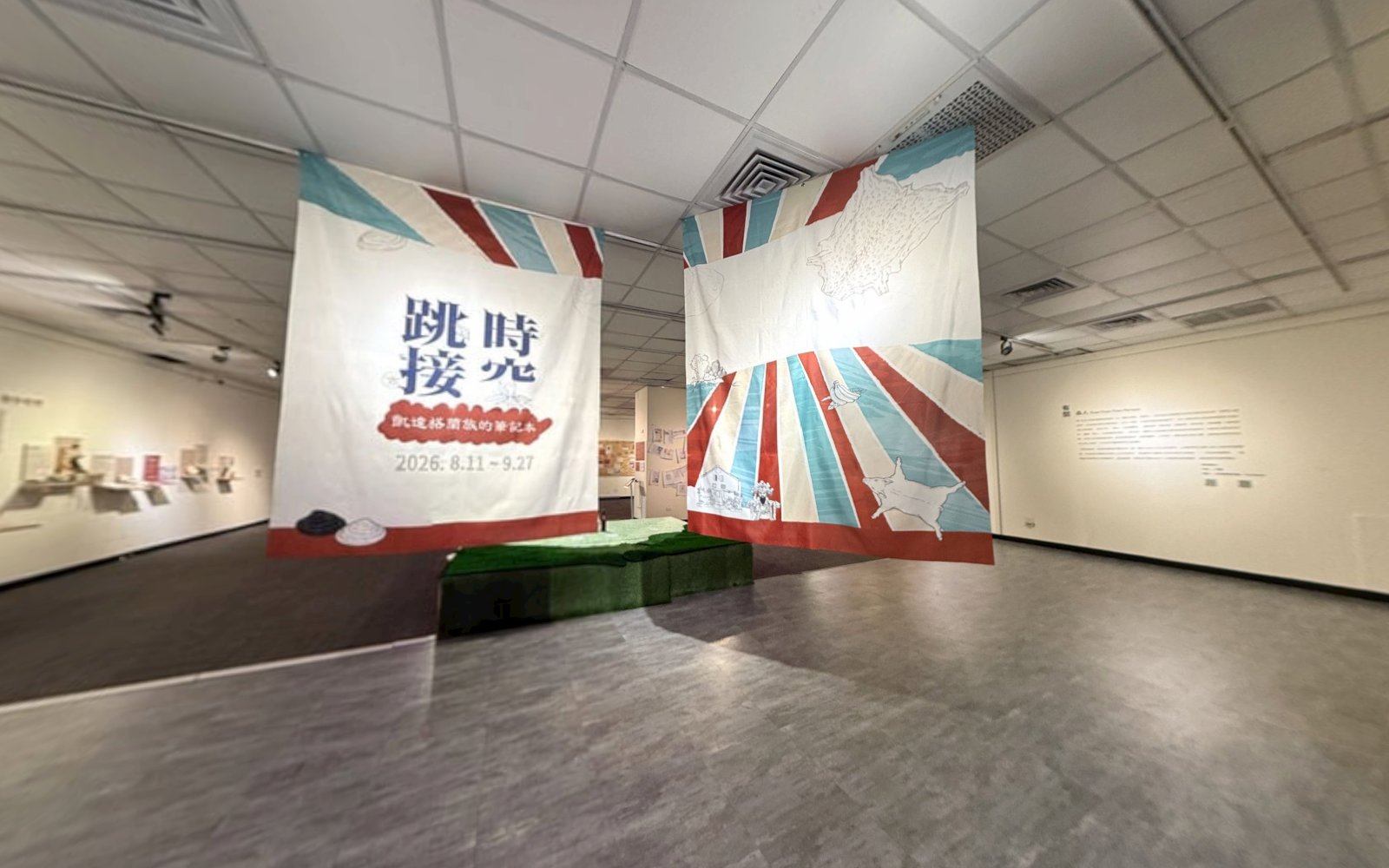
Playing in the backgroundSplicing Time: A Ketagalan NotebookEnter

01 WHY

Three things
exhibitions run into

  1. When the show closes, it is gone

    The exhibition stays online for good, at the same address. After it closes, it stays on view.

  2. Visitors from other cities and abroad cannot make it

    Share it with a single link, or embed it in a museum's or an artist's own website, where it opens with a guided tour.

  3. There is more to each work than the gallery can tell

    Every work gets its own card — photos, text, an audio guide and related articles — for visitors to take their time with.

02 WHAT

What we do

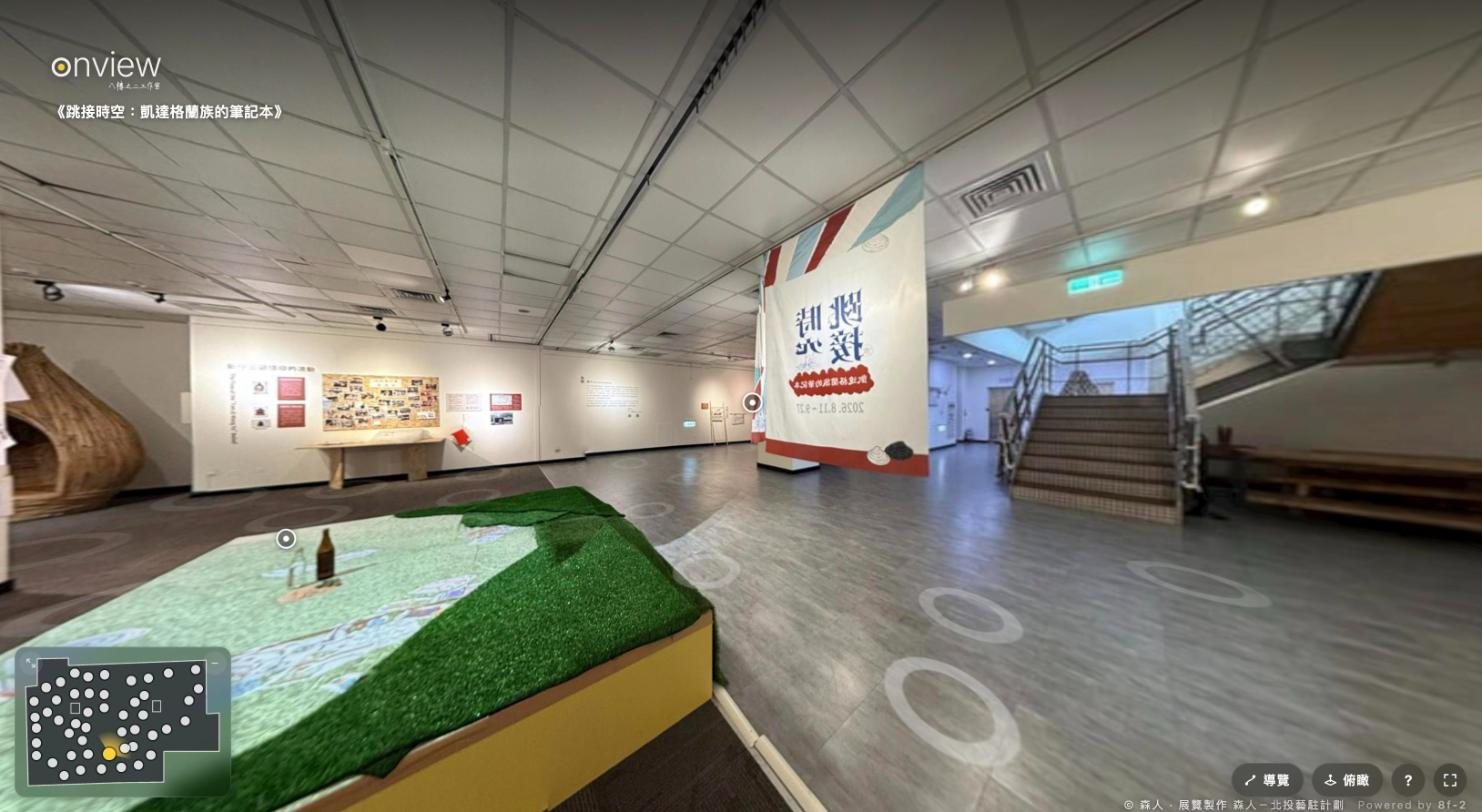
Every screenshot below comes from the live online exhibition Splicing Time: A Ketagalan Notebook.

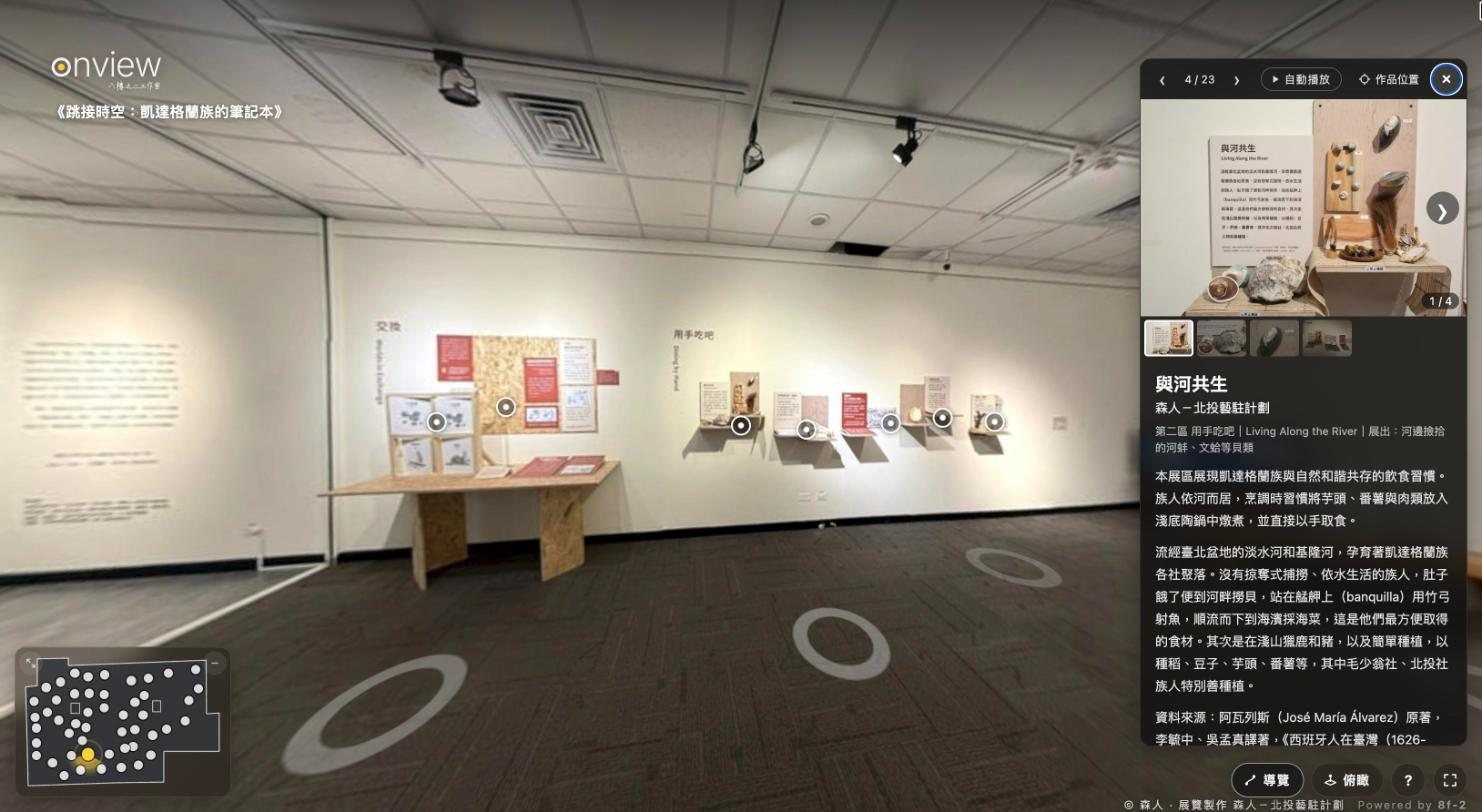
The online exhibition Splicing Time: the gallery, circles on the floor, the floor plan at the lower left
01

A 360° walk-through

We photograph the venue in 360° and link the whole space into an online exhibition you can walk through. Tap the circles on the floor to move; the floor plan in the corner always shows where you are.

  • Smooth on desktop, phone and tablet
  • A floor-plan mini-map: tap a dot to jump there
  • No app to download, no sign-up
A work dot on the wall and its open card: photos and text
02

Work cards and a guided tour

Each small dot on the wall is a work. Tap it to open its card: photos, text, an audio guide and related articles. Go through the works in the order of the exhibition, or let the camera take you there.

  • Photos to enlarge and browse one by one
  • Audio guides and related articles
  • Autoplay: the camera walks the whole show, zone by zone
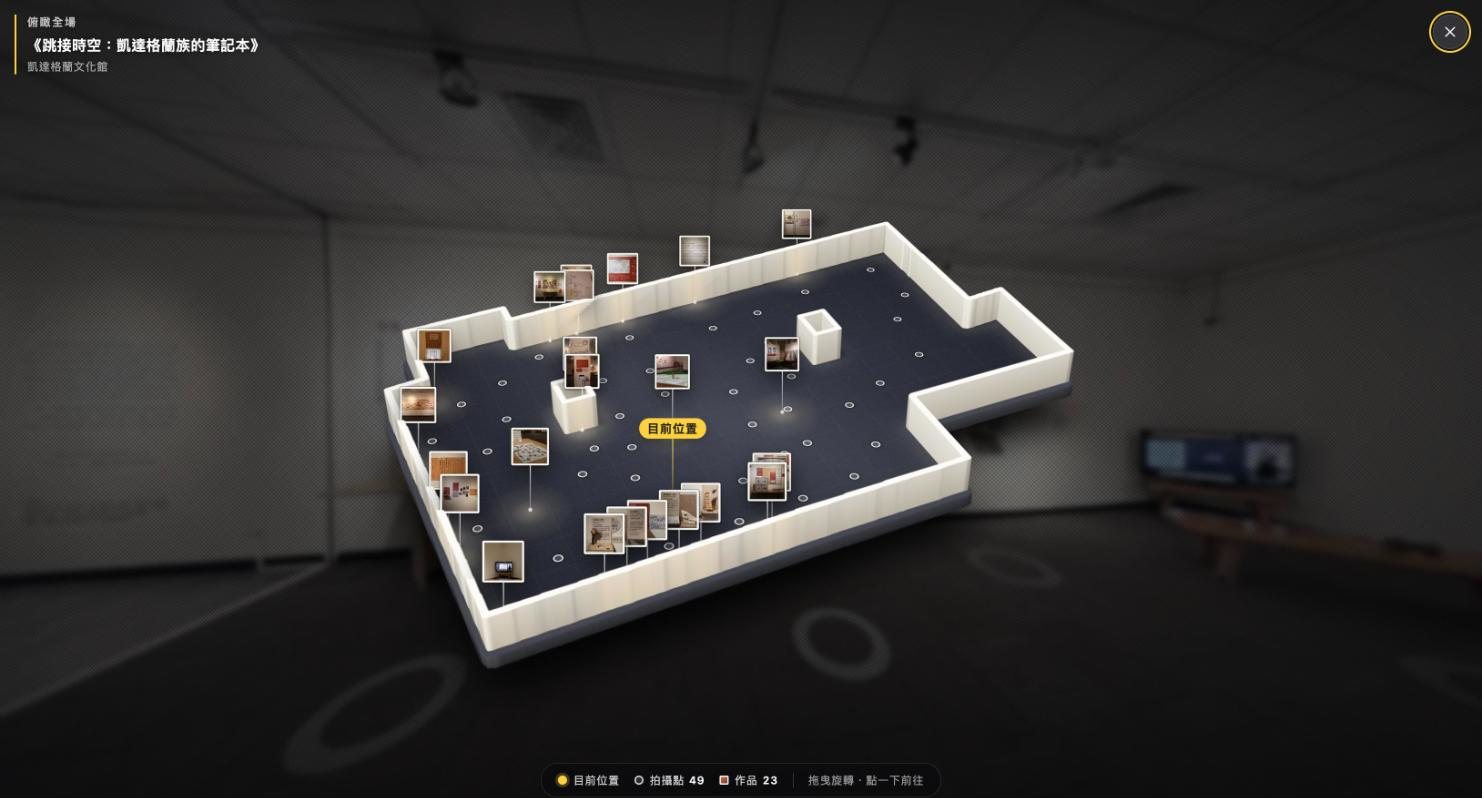
A 3D model of the gallery with work thumbnails where the works hang
03

Overview

See a 3D model of the whole space from above, with every work marked where it actually is. Tap a work or a viewpoint to go straight there.

  • The room's shape is worked out from the 360° photos
  • Work thumbnails sit where the works hang
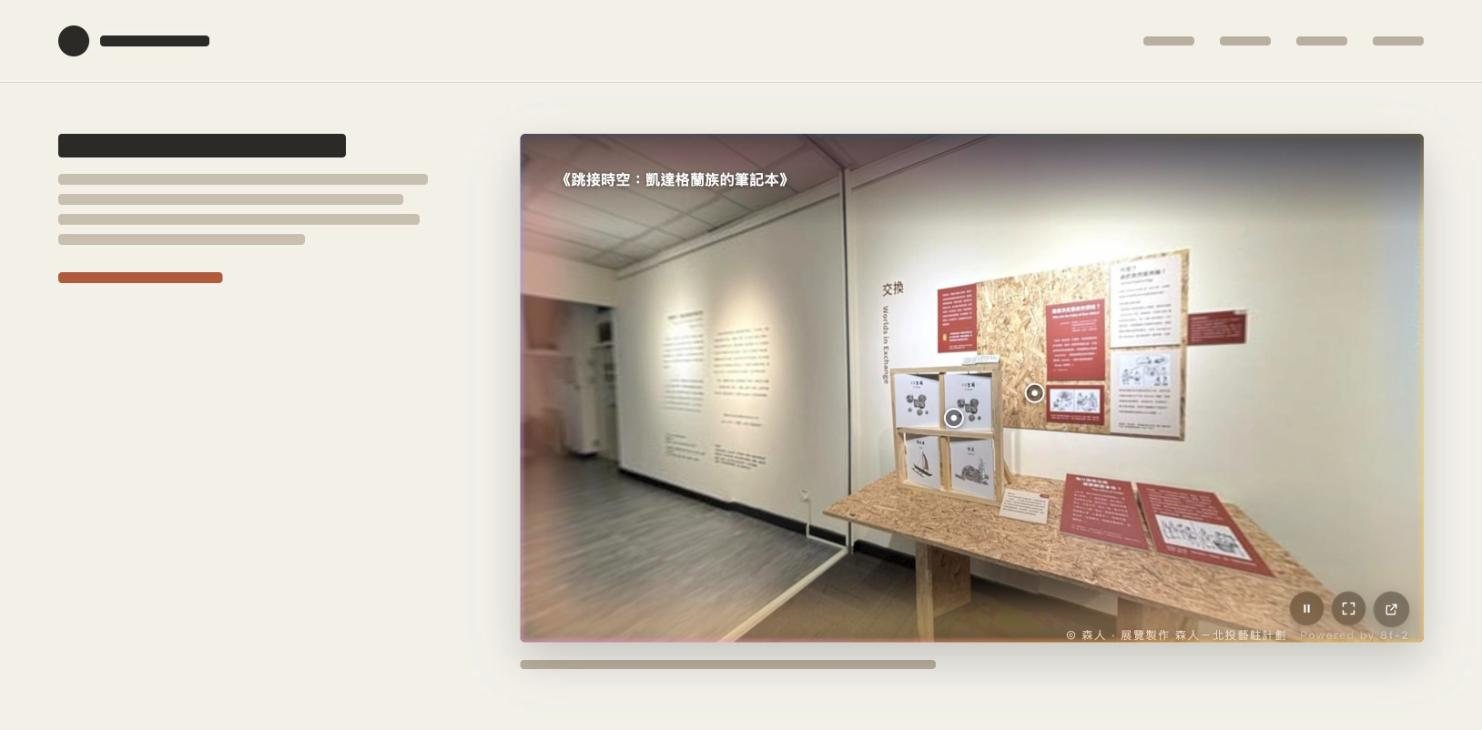
The online exhibition embedded in an ordinary website, with only play, full-screen and new-tab buttons at the lower right
04

Embed it on your website

Paste one snippet into a museum, artist or brand website and the exhibition opens with a guided tour. Embedded, it switches to a compact player; full screen brings every tool back.

  • One embed code — just paste it
  • Hosted on our own servers for the long term, with no overseas platform fees
  • Still online after the show closes, and easy to update

Also available

Ticketed viewing

Make the exhibition ticketed: visitors buy a ticket on the platform you already use (such as KKTIX or Accupass) and enter with a pass code. You can also set an opening period. Ticket sales go straight to your account; we never handle payments.

Chinese and English

The interface, exhibition text and work cards can all come in Chinese and English, switched at the same address, so visitors from abroad can explore on their own.

03 HOW

How we work

  1. STEP 1

    Enquiry and quote

    Tell us the size of the venue, the number of works and the dates. We quote by venue size and number of works.

  2. STEP 2

    On-site shoot

    During the exhibition we photograph the venue in 360° and record where each work is.

  3. STEP 3

    Preparing the works

    We help proofread and lay out the photos, texts and audio for every work.

  4. STEP 4

    Launch

    About two weeks after all materials are in, you receive the exhibition link and the embed code.

Prices depend on the size of the venue and the number of works. Write to us for a quote.

04 CONTACT

Contact us

Want your exhibition to stay online? Leave your details and we'll get back to you soon — or simply write to us.

services@8f-2.cc

8F-2 Studio
What are you interested in? (choose any)